
Web development is changing quickly. New frameworks and libraries make it easier to build modern applications and solve complex problems.
Two popular choices are Express.js and Next.js. Each has its own strengths.
But what if you could use both together?
By using Express with Next.js as middleware, you can combine a strong backend with a high-performance frontend. This approach helps you build scalable, flexible, and feature-rich applications.
In this article, you'll learn:
Before combining these frameworks, it's important to understand what each one does.
Express.js is a lightweight framework built on Node.js. It helps developers create fast and scalable backend applications.
It offers complete control over routing, middleware, and APIs. Because of its flexibility, Express.js is widely used for backend development.
Express.js focuses on handling requests, processing data, and managing backend operations.
Next.js is a React framework used to build modern web applications. It makes development easier while improving speed and search engine visibility.
It supports several rendering methods, including:
Next.js also includes a file-based routing system, making navigation simple and organized.
Although Next.js provides API routes, they are best suited for simple backend tasks. For advanced server logic, developers often use Express.js.
This is where combining both frameworks becomes a smart choice.
Using Express with Next.js as middleware lets you take advantage of both frameworks.
Express.js handles complex backend operations, while Next.js delivers a fast and responsive frontend.
Here are the main benefits.

Express.js makes it easier to build advanced backend functionality.
You can use it for:
This allows Next.js to focus on rendering pages quickly.
Managing APIs becomes much easier when Express.js handles all backend routes.
Instead of spreading APIs across different files, you can organize them in one place.
This approach helps:
Middleware is one of Express.js's biggest strengths.
You can add custom middleware for tasks like:
This makes your application more secure and easier to manage.
Next.js is already optimized for performance.
When combined with Express.js, it becomes even more powerful.
Benefits include:
Users get faster websites, and search engines can crawl your pages more efficiently.
Some applications need both a powerful backend and a modern frontend.
By combining Express.js and Next.js, you can create hybrid applications that offer both.
In this setup:
The result is a smooth and scalable application.
This combination works well for many real-world applications.
Here are some common examples.
Many businesses use microservices to manage different parts of an application.
Express.js can act as the API gateway. It receives requests, communicates with different services, and sends responses back to the client.
Next.js then renders the frontend efficiently.
This setup improves scalability and simplifies API management.
Managing user access is an important part of any application.
Express.js middleware can handle:
Once the user is verified, Next.js renders the appropriate pages.
This creates a secure and seamless user experience.
Many websites display personalized content.
Examples include:
Express.js processes user data, while Next.js uses server-side rendering to display personalized pages quickly.
This results in a faster and more engaging experience.
Online stores often require both powerful backend services and fast frontend performance.
Express.js can manage backend operations such as:
At the same time, Next.js delivers:
Together, they create a reliable and scalable eCommerce platform.
Every application needs proper error management.
Express.js makes it easy to build custom middleware for handling errors.
Developers can:
Meanwhile, Next.js continues delivering a smooth browsing experience for users.
Now that you understand the benefits, let's see how to combine Express.js and Next.js in a real project.
The setup is simple and only takes a few steps.
First, create a new Next.js application.
Then install Express.js.
</> Bash
npx create-next-app my-app
cd my-app
npm install express
Once the installation is complete, you're ready to build a custom Express server.
Create a file named server.js in the root directory of your project.
This file will handle your backend logic and connect Express.js with Next.js.
</> Javascript
const express = require('express');
const next = require('next');
const app = next({ dev: process.env.NODE_ENV !== 'production' });
const handle = app.getRequestHandler();
const server = express();
app.prepare().then(() => {
server.get('/api/hello', (req, res) => {
res.json({ message: 'Hello from Express.js!' });
});
server.all('*', (req, res) => {
return handle(req, res);
});
server.listen(3000, () => {
console.log('Server running on http://localhost:3000');
});
});
This setup:
This gives you both backend and frontend functionality in one application.
Middleware allows you to process requests before they reach your routes.
For example, you can log every incoming request.
</> Javascript
server.use((req, res, next) => {
console.log(`Request received: ${req.method} ${req.url}`);
next();
});
You can also use middleware for many other tasks.
Keeping middleware small and focused makes your application easier to maintain.
After adding your custom routes, make sure every other request is handled by Next.js.
Use the following code:
</> Javascript
server.all('*', (req, res) => {
return handle(req, res);
});
This ensures that:
Start the server using Node.js.
</> Bash
node server.js
Once the server starts, visit:
http://localhost:3000
Your application is now running with Express.js managing backend functionality and Next.js rendering the frontend.
Both Express.js and Next.js can serve web applications.
However, they are built for different purposes.
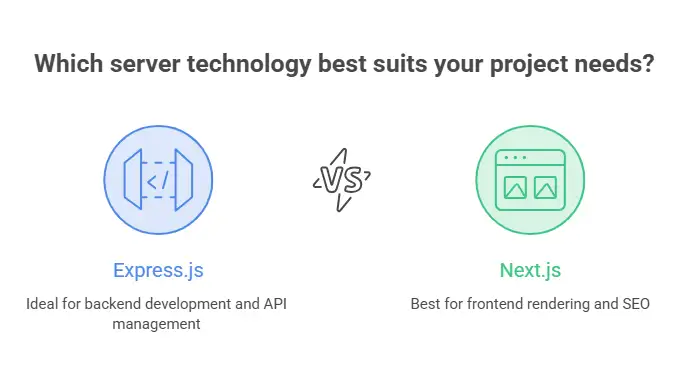
Choose Express.js if your project needs:
Choose Next.js alone if your project mainly focuses on:
If your application needs both, combining Express.js with Next.js is often the best solution.
Using two frameworks together offers many benefits.
However, it also introduces a few challenges.
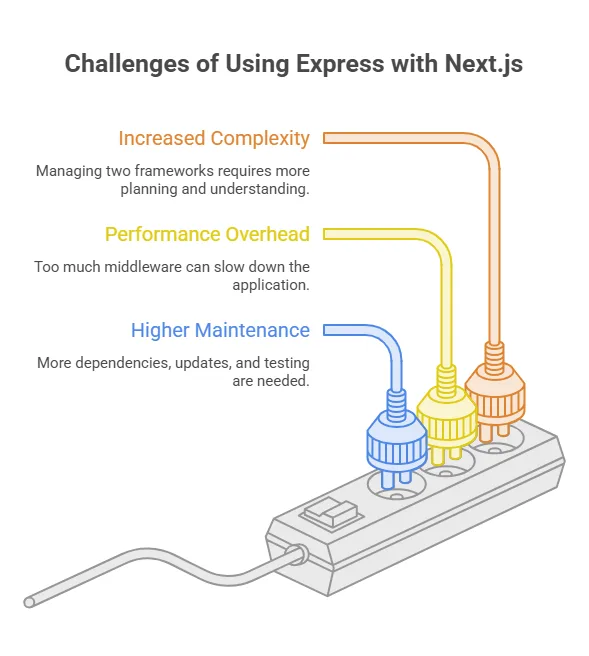
Managing two frameworks requires more planning.
Developers must understand how both frameworks work together.
Adding too much middleware can slow down your application.
Heavy processing inside middleware should be avoided whenever possible.
Two frameworks mean:
Good project organization helps reduce maintenance efforts.
Follow these best practices to get the best performance from your application.
Instead of writing one large middleware file, split it into smaller modules.
This makes your code:
Next.js already includes useful features such as API routes.
Use them for simple backend tasks.
Reserve Express.js for more advanced requirements like:
This keeps your application lightweight.
Middleware runs before every request.
For this reason, it should stay as efficient as possible.
Avoid:
Fast middleware leads to faster response times.
Keep backend and frontend code separate.
A clean project structure makes development much easier.
It also improves collaboration between teams.
Using Express with Next.js as middleware combines the strengths of both frameworks.
Express.js provides flexible backend development with powerful middleware and API management.
Next.js delivers fast page rendering, better performance, and excellent SEO.
Together, they help developers build scalable, secure, and high-performing web applications.
This combination is ideal for projects that require:
By following the right architecture and best practices, you can build applications that are easier to maintain and ready to grow with your business.
At Neuronimbus, we use modern technologies like Express.js and Next.js to create secure, scalable, and high-performance digital solutions tailored to business needs. Whether you're building a custom web application or modernizing an existing platform, our team can help you deliver exceptional user experiences with the right technology stack.
Yes. You can use Express.js as a custom server for Next.js when your application needs advanced backend features like custom routing, authentication, middleware, or API management. This lets you combine Express.js's flexibility with Next.js's fast rendering and SEO benefits.
Use Next.js API routes for simple backend tasks such as form submissions or basic CRUD operations. Choose Express.js when your application requires complex APIs, custom middleware, authentication, session management, or integration with multiple backend services.
It can if not implemented correctly. Lightweight middleware and optimized server logic help maintain excellent performance. Following best practices, such as avoiding heavy computations in middleware, ensures your application remains fast and responsive.
Yes. This combination is ideal for eCommerce websites. Express.js can manage backend operations like payment processing, inventory management, and user authentication, while Next.js delivers fast-loading, SEO-friendly product pages that improve the shopping experience.
Using Express.js with Next.js allows you to build scalable web applications with: Advanced backend functionality Flexible middleware support Centralized API management Improved SEO through server-side rendering Better performance and faster page loading A seamless combination of backend and frontend capabilities




Let Neuronimbus chart your course to a higher growth trajectory. Drop us a line, we'll get the conversation started.






Call Us

Schedule a Call


Your Next Big Idea or Transforming Your Brand Digitally
Let's talk about how we can make it happen.